
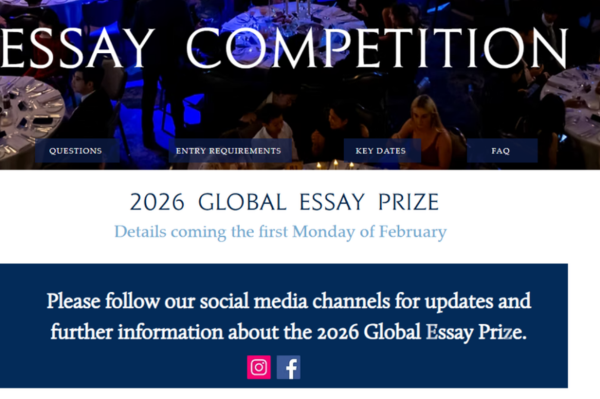
The 2026 John Locke Essay Competition submission deadline (May 31) is rapidly approaching, and the late submission channels (June 7 and June 21) will soon open. Students who have not yet completed their essays can opt for an extension.
During the peak submission period, the most frequent issue is the John Locke official website failing to load. This article compiles high-frequency submission questions and a detailed step-by-step submission guide to help you avoid bottlenecks and successfully submit your work.
Key Dates for the John Locke Writing Competition
Submission Deadlines: Two Paid Extension Options
Regular Submission: April 1 – May 31. Free. It is highly recommended to complete your submission before this date to avoid system congestion.
Late Submission: You must purchase the extension service before June 7. Two tiers are available:
- 7-day extension (until June 7): $35
- 21-day extension (until June 21): $100
*Note: Even if you choose the 21-day extension, payment must be completed before June 7. Missing this deadline means no further extensions can be purchased.
Other Key Milestones
- Shortlist Notification: July 7, 2026
- Academic Conference & Awards Dinner: October 2–4
All deadlines are in Greenwich Mean Time (GMT). China is in GMT+8, meaning the deadline corresponds to 7:59 AM Beijing Time the following day. It is strongly advised to submit at least half a day early to avoid time zone pitfalls.
Frequently Asked Questions About John Locke Submission
During peak submission periods, the John Locke official website often experiences heavy traffic. If the site won’t load, try these quick fixes:
- Use Incognito/Private Mode: Open Chrome or Firefox in incognito mode to avoid cache/cookie conflicts.
- Switch Browser/Device: Try Edge, Safari, or use mobile data (4G/5G).
- Clear Cache & Flush DNS:
- Windows: Press Win+R
- Mac: Open Terminal and enter the appropriate command
- Change to Public DNS:
- Google: 8.8.8.8 / 8.8.4.4
- Cloudflare: 1.1.1.1 / 1.0.0.1
- Submit During Off-Peak Hours: Avoid the peak window on May 31 from 10:00 PM to 11:59 PM. Submit 1–2 days in advance.
Submission Q&A
Q: Can I still submit if I miss the May 31 deadline?
A: Yes. You can use the late submission channels for June 7 (£25) or June 21 (£75).
Q: Can I modify my essay after submission if I find an error?
A: You can withdraw and resubmit before the deadline. After the deadline, no modifications are allowed; the final submitted version will be judged.
Q: What should I do if the official website keeps failing to load?
A: Follow the troubleshooting steps above for website access issues, or contact official support at support@johnlocke.org.
Step-by-Step Submission Guide for John Locke
Step 1: Log In to Your Account
Visit the John Locke Institute’s Global Essay Prize page and click “Register/Login”. Log in using your registered email and password. The system will send a 6-digit verification code to your email. Copy and paste it to complete verification.
Step 2: Access Your Dashboard
After logging in, you will enter your personal dashboard. If you haven’t paid the late registration fee, the interface will display “Late registration payment required”. Follow the prompts to pay $10 to activate your account. When filling in personal information, please note: Your name in Pinyin must exactly match your ID document. Guardian email and school information are mandatory fields.
Step 3: Upload Your Essay
Navigate to “My Submissions” and click “Submit Your Essay”. Upload your file in PDF format, ensuring it meets the following strict requirements:
- File Naming Convention: Format as “FirstName-LastName-Category-QuestionNumber.pdf”. Do not include extra spaces before or after your name, or your submission may be rejected.
- Formatting Details: The main text must not contain any personal identifying information such as your name, school, or nationality. Use Times New Roman, 12-point font, with 1.5 line spacing. The word count must be ≤2,000 English words. Footnotes are strictly prohibited in the main text; only endnotes and a reference list are allowed.
Step 4: Confirm Successful Submission
Once uploaded, the status will update to “Submitted”, indicating success. You can view your submitted files on your personal page. The system allows you to submit multiple essays for different categories under the same account.
Get FREE John Locke Preparation Materials
Scan the QR code below to access free practice papers, study guides, and past competition materials. Start preparing today!